
AI and ERP integration · UAE
Connect AI to your ERP without letting it write anything you haven’t approved
For finance, operations and IT owners who want AI output to reach the ERP or business system they already run. We design the integration first: which system owns each record, what needs approval, and exactly what happens when an update is rejected.
- Approved records only
- One owner per record
- Failures queued, never lost
- Free 30-minute discovery call
The problem
Who this is for.
Teams whose AI pilot, document workflow or request intake needs to end in a real business record, not in a spreadsheet someone retypes.
Finance teams
Approved invoice data that should become a purchase or payable record without rekeying.
Operations teams
Requests or job details captured outside the ERP that need to land in it with the right references.
IT owners
Asked to “add AI” to a system and needing a clear boundary for what it may and may not change.
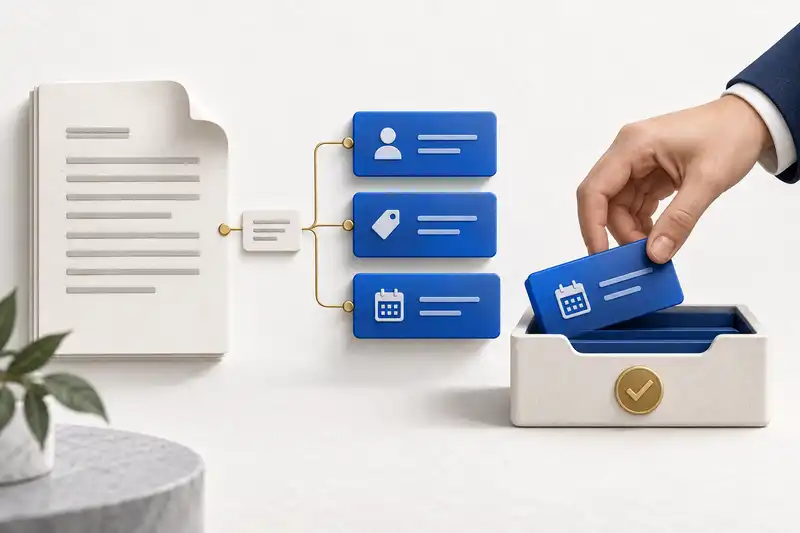
What changes. The AI step prepares information; your business system stays the record of truth. Only approved records are written, each change is logged, and a rejected update waits in a queue with its reason instead of disappearing or being posted twice.
Illustrative integration
From an approved record to your system, and back.
A generic sequence, not a description of a specific client system. The real design depends on what your system’s API or import route supports.
Approve
A reviewer, or a rule you agreed, approves the prepared record.
Validate
Required references (supplier, purchase order, cost centre) are checked against the target system before sending.
Write
The record is sent once, with an idempotency key so a retry cannot create a duplicate.
Confirm
The system’s response is stored: the new record’s reference, or the rejection reason.
Recover
Rejected updates stay in the queue with the error. A person corrects and retries, or escalates.
Suitability
Where it fits, and where it doesn’t.
A good fit
A documented route in
The system has an API, an import format or an integration layer we can use.
Clear ownership
It is agreed which system owns suppliers, items, orders and payments.
An upstream workflow worth connecting
Documents or requests already processed with review, or about to be.
A sandbox
A test company or environment where updates can be tried safely.
Probably not a fit yet
No way in
Screen-scraping a system with no API is fragile; fix access first.
Unclear master data
If suppliers or items are duplicated, AI will not resolve that on its own.
Fully automatic posting expected from day one
We start with approval and widen automation only where results justify it.
A vendor feature already covers it
If your ERP vendor offers the integration you need, use it.
Integration
Integration boundaries.
What we write
Only the record types agreed in scope, through the agreed route, with your permissions model respected.
What we never do silently
Change master data, approve payments or post without the agreed approval.
When the system is down
Updates queue and retry; nothing is dropped and nothing is posted twice.
Who owns the connector
You own the custom integration code we build for you, as set out in the agreement.
Control
Review, logging and recovery.
Approval before write
Every write is tied to an approval, by a person or an agreed rule.
Idempotent updates
Retries reuse the same key, so a lost response cannot create a second record.
Error queue
Rejected updates show the system’s reason and can be corrected and retried.
Audit trail
Who approved what, what was sent and what the system answered.
Pilot
What a pilot delivers.
One upstream workflow, one target system, one or two record types, a sandbox and agreed acceptance criteria. Scope and price are confirmed in a written proposal.
Working connector
Validated, idempotent writes for the agreed record types.
Failure handling
Error queue, retry and escalation, tested against real rejection cases.
Test results
Accepted, rejected and retried updates on an agreed sample, reported separately.
Operating guide
How to monitor the queue, change mappings and add record types.
What drives cost and timeline: The target system’s integration route, the number of record types and mappings, master-data quality, approval rules, sandbox availability, failure cases to handle and ongoing monitoring. We confirm scope, timeline and price in a written proposal.
Evidence
What you can examine today.
Our evidence here is delivered integration and ERP work, not AI results. A sandbox demonstration of an AI-to-ERP write, including a failure and recovery, will be added when it has been reviewed.
Client review
In the client's words.
An independent, verified review published on Clutch, the B2B review platform. Quoted word for word.
“Our call center and complaints department noticed considerably fewer complaints and calls to book. The WhatsApp agent also took a huge load off our call center.”
“Digital Cubic Smart Solutions consistently delivered ahead of time, even when we had change requests.”
Before you start
Questions about connecting AI to an ERP.
Which ERP systems can you connect to?
Systems with an API, an import format or an integration layer. We confirm the route after reviewing what your system supports and which system owns each record.
Will the AI change records in our ERP by itself?
Not unless you agree a rule for it. We start with approval before every write and widen automation only where the results justify it.
What happens if the ERP rejects an update?
It waits in an error queue with the system’s reason. Nothing is dropped and a retry cannot create a duplicate.
Do we need a test environment?
Strongly preferred. A sandbox or test company lets us prove the integration, including failures, before anything touches live data.
Let’s make it work
Tell us which system the result should reach.
Name the system, the record type and where the information comes from today. Free 30-minute discovery call.