
Vloud · Public beta · Self-hosted hosting control panel, in public beta
Run core hosting services from one control panel.
Vloud is a self-hosted control panel for websites, email, DNS, databases, SSL, security and backups, with guided cPanel migration and approval before AI Doctor applies fixes. It is in public beta.For teams that run hosting on their own servers and want one place to manage it.
Vloud is in public beta. Tell us about your hosting setup and we’ll get in touch to arrange a demo or an evaluation.

- Public beta
- Self-hosted control panel
- Guided cPanel migration
- Approval before AI fixes are applied
- Migration validated on a test server; no live customer moved yet
- Your data belongs to you
Cloud Operations
What Vloud manages.
Hosting is usually spread across several tools: a web server here, mail there, DNS and databases somewhere else, and backups nobody has tested. Vloud brings those core services into one control panel on your own server, with guided migration off cPanel.
Websites & SSL
Web serving with a separate PHP pool per account, and certificates issued through Let's Encrypt.
Email
Mail hosting with spam filtering built in.
DNS & databases
Manage zones and databases from the same panel as the sites that use them.
Security
Built-in malware scanning, quarantine and a web application firewall.
Backups
Back up to S3, SFTP, local storage or rclone targets.
Guardians & AI Doctor
Guardians watch for trouble such as a filling disk. When AI Doctor suggests a fix, it waits for your approval before applying it.
Explore the workflow
Move off cPanel in guided steps.
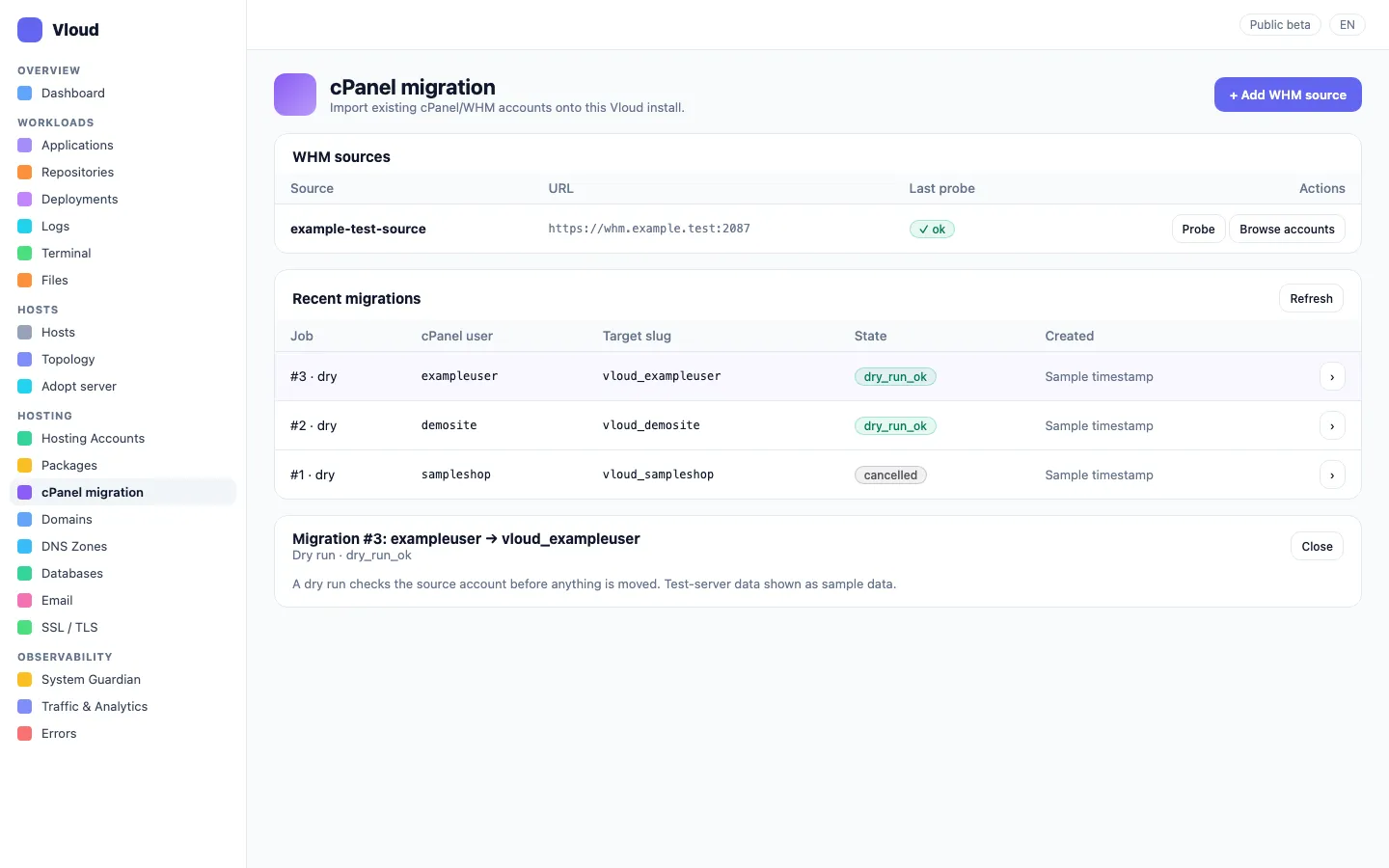
This illustrative sequence shows the guided migration flow. It is not a live console. Vloud is in public beta: migration has been validated on a test server, and no live customer has been moved yet.
Move to a new server or on the same server.
Guided steps take an existing cPanel account across, ending with checks before you switch.
Some items need attention by hand, such as certificates and cron jobs.
- Step
- Inspect
- What happens
- Read the existing accounts
- Your decision
- Confirm scope
- Step
- Transfer
- What happens
- Move sites, mail and databases
- Your decision
- Review results
- Step
- Verify
- What happens
- Run checks before the switch
- Your decision
- Approve the switch
Illustrative records and interactions — this is not a live product session.
One control panel
Core hosting services managed in one place.
Guided migration
A structured path off cPanel, with checks before you switch.
Human approval
AI-suggested fixes wait for your decision.
Your own server
Vloud runs on infrastructure you control.
A connected sequence
How a move to Vloud works.
How the work moves through Vloud. Environments, access and support scope are agreed with you and set out in the written proposal.
Install
Set Vloud up on your own server.
Connect
Bring in existing sites, mail and databases.
Migrate
Follow the guided steps, with checks before you switch.
Operate
Manage websites, email, DNS, databases, SSL and backups from one panel.
Review
Approve or decline fixes that AI Doctor proposes.
Before we get started
Questions about Vloud.
Explore the wider stack
Often used together.
Products and services that often sit alongside this one. The right combination depends on your workflow and the systems already in place.

Is Vloud generally available?
Vloud is in public beta. Its migration flow has been validated on a production-matching test server, and no live customer has been moved yet. We run demos and evaluations for teams who want to see where it stands today.
What does it manage?
Websites, email, DNS, databases, SSL, security and backups, with guided migration from cPanel. When AI Doctor suggests a fix, it asks for your approval before applying it.
Where can it run?
On your own servers. We can also host your systems on Azure, AWS or private servers managed by Vloud, which is a separate hosting arrangement agreed in the proposal.
Does it include a particular support or uptime commitment?
Support coverage and any service commitments are agreed with you and set out in the written proposal.
Can it support an existing application?
It depends on the application. We first review its architecture, dependencies, access, deployment process and operating requirements, then recommend a suitable approach.
Can we see Vloud working?
Yes. Tell us about your operation and we’ll get in touch to show you a live demo of Vloud in a meeting.
How much does Vloud cost?
There’s no public price list. We price to your scope and confirm it, with the timeline, in a written proposal after a free 30-minute discovery call.
How long does it take to get started?
It depends on your application and how it runs today. The timeline is confirmed in the written proposal.
Who owns our data?
You do. Your data belongs to you.
What happens after go-live?
Your account manager remains your point of contact, and the support arrangement is agreed with you and set out in the written proposal.
Who will we work with?
An account manager, plus the engineers on your project. We work in Arabic and English, and we sign an NDA if you need one.
Start with your requirements
See Vloud in a live demo.
Vloud is in public beta. Tell us about your hosting setup and we’ll get in touch to arrange a demo or an evaluation.