
Agentina Builder · Early access · AI development studio, in early access
Coordinate specialist AI coding agents, with a person approving the plan.
Agentina Builder is a studio for coordinating specialist AI coding agents on your own hardware, from planning through coding, testing and review. It is in early access.For engineering teams that want to try coordinated AI coding agents with human review built in.
Agentina Builder is in early access. Tell us about your team and we’ll get in touch to arrange a demo.

- Early access
- Runs on your own hardware; source and repositories stay on your machine
- Plan approval and task review by default
- GitHub, GitLab and Azure DevOps intake
- Needs a signed-in Claude CLI
Engineering Intelligence
From a task to a reviewed change.
A single AI assistant answering prompts is not a workflow. Agentina Builder splits the work across planner, coder, tester, reviewer, UI-testing and deployment roles, and keeps a person in the loop at the plan and at review.
Planner
Break a task into a plan that a person approves before anything is written.
Coder
Implement the approved plan as a code change.
Tester
Run checks against the change and report the results.
Reviewer
Review the change and raise notes before it reaches your engineers.
UI testing
Exercise the interface as part of the run.
Deployment
Prepare the release step once the change is accepted.
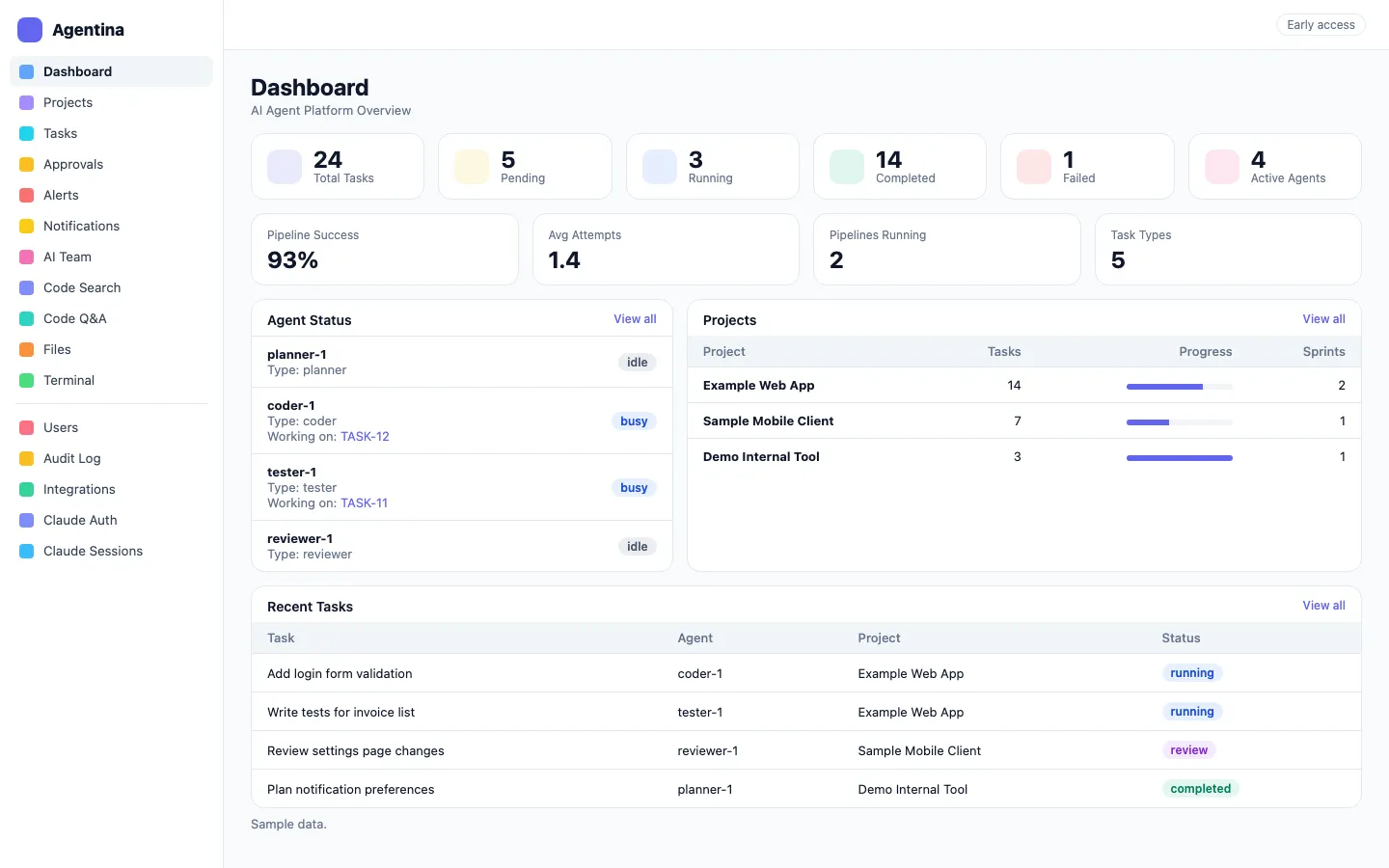
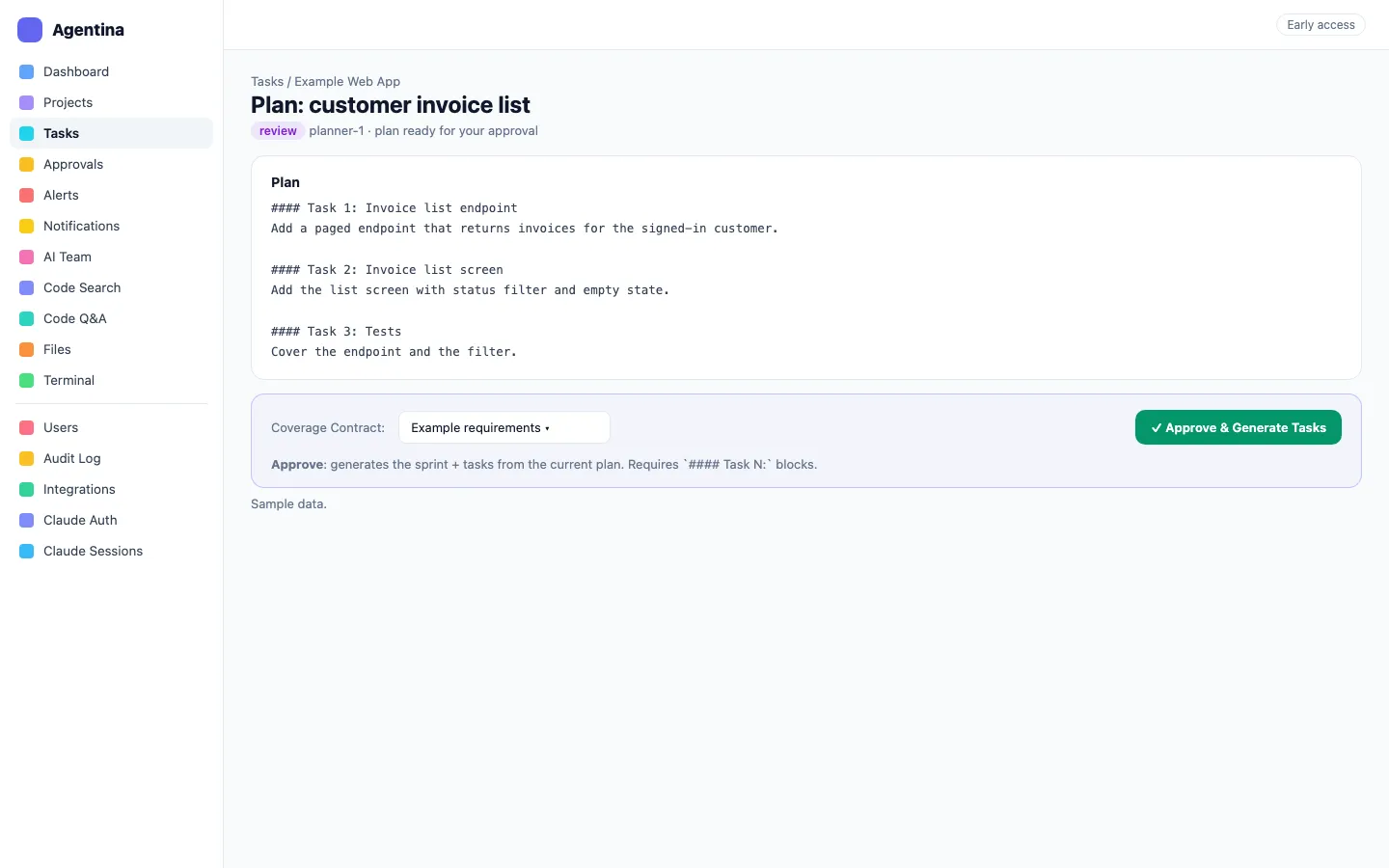
Interface previews
More of the interface.
Rebuilt from the product source with fictional sample data. These are previews, not screenshots of a running system.
Explore the workflow
Agents do the legwork. People hold the decisions.
This illustrative sequence shows how a run moves between roles and where a person steps in. It is not a live console, and scope and behaviour may change during early access.
Agree the plan before code is written.
A planner role breaks the task down, and a person reviews the plan.
Plan approval and task review are on by default.
- Step
- Break down the task
- Role
- Planner
- Human check
- Approve the plan
- Step
- Write the change
- Role
- Coder
- Human check
- Review the task
- Step
- Check the result
- Role
- Tester
- Human check
- Review the outcome
Illustrative records and interactions — this is not a live product session.
Coordinated roles
Planning, coding, testing and review are separate, visible steps.
Human approval points
A person approves the plan and reviews the task by default.
Your own hardware
The studio is designed to run on hardware you control.
A conversation about fit
Which models and settings suit your team is covered in the demo.
A connected sequence
From intake to a reviewed change.
How the work moves between people and records in Agentina Builder. Your roles, configuration and requirements are reviewed in a product discussion.
Connect
Bring tasks in from GitHub, GitLab or Azure DevOps.
Plan
A planner proposes the approach for approval.
Build
A coder implements the approved plan.
Test
Testing and UI-testing roles check the change.
Review
A reviewer and your engineers decide what goes forward.
Before we get started
Questions about Agentina Builder.
Explore the wider stack
Often used together.
Products and services that often sit alongside this one. The right combination depends on your workflow and the systems already in place.


Is Agentina Builder generally available?
No. It is in early access. We run early-access demos for teams who want to see what works today and what is still planned.
Does it write correct software on its own?
We do not claim that. A person approves the plan and reviews the work by default, and your engineers remain responsible for what is released.
Which code hosts does it work with?
The product lists GitHub, GitLab and Azure DevOps intake.
Does our code stay on our own hardware?
The studio runs on your own hardware. Whether prompts or code reach an external model provider depends on how it is configured, and we go through that in the demo.
Start with your requirements
See Agentina Builder in an early-access demo.
Tell us about your team and we’ll get in touch to arrange an early-access demo.