Mobile Application Development
Keep work moving beyond the desk.
Mobile applications for customers and teams working across sites, locations, and changing network conditions.
- Serving the UAE
- Arabic and English
- We deploy on Microsoft Azure and AWS
- Free 30-minute discovery call
Built around your operation
Designed for the place where work happens.
Field work needs more than a smaller desktop screen. We design around quick actions, real devices, interrupted connections, and information that must stay consistent with the office.
iOS & Android apps
Choose a native or cross-platform approach around the product and device requirements.
Field operations
Capture inspections, service visits, daily logs, notes, and photographs at the source.
Offline workflows
Save agreed actions locally and show clear states while waiting to synchronise.
Customer applications
Make bookings, requests, account information, and updates easy to access.
Device capabilities
Use camera, location, scanning, and notifications where the workflow needs them.
Shared backend
Keep mobile and web working from a consistent set of business rules and data.
See it in practice
From the field to the office, without losing the detail.
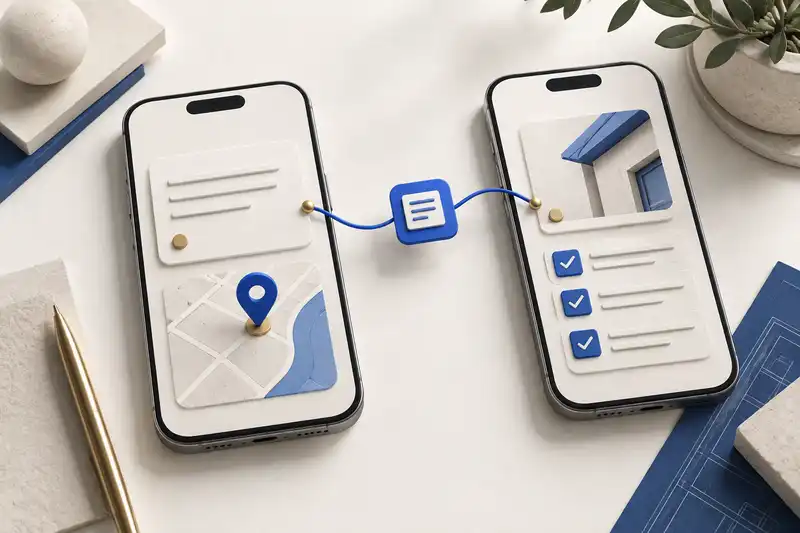
Try a conceptual inspection submission with an offline and a synced state. The user can tell what is saved on the device and what the office can see.
Clear state
Make saved, pending, failed, and synced states understandable.
Real device testing
Validate important workflows on the agreed device and operating-system range.
Secure access
Plan sign-in, device storage, and session behaviour around the information involved.
Release readiness
Prepare store materials, distribution, and support arrangements for launch.
Ready for review.
Checklist completed
3 photos attached
Observation added
Submission will queue until a connection is available.
Work can keep moving.
Supported tasks stay on the device. The interface makes it clear what has and has not reached the office.
Conceptual interface — sample data, not a customer screenshot.
Assign
The field team receives the task and supporting information.
Capture
Add observations, checklist responses, and photographs.
Save
Keep supported work on the device when there is no connection.
Synchronise
Send queued changes and handle conflicts when connectivity returns.
Follow up
The office reviews the submission and assigns the next action.
What stays with your team
The app, its release package and the guidance to support it.
Deliverables are agreed during scoping. These are the practical outputs this service is designed to provide. See how we deliver it
Mobile application
The agreed iOS and Android functionality.
Backend connection
Integration with the shared platform or approved services.
Release package
Builds and store-submission preparation; store approval remains with the platform.
Support guidance
Release notes, documentation, and agreed handover sessions.
Where it fits
A practical application.
A field app for inspections and daily logs that keeps working on site with no signal, and syncs when the crew is back in range.
Best for: Companies whose users move between desk, site, and field — and whose data must stay consistent.
Connected capabilities
Often paired with Mobile Apps.
Before we get started
Questions about Mobile Apps.
Should we use native or cross-platform development?
We compare required device features, interface expectations, existing code, and maintenance needs. The recommendation follows those constraints rather than a fixed preference.
Can the application work offline?
Selected workflows can be designed for offline use. We define which data is stored, what actions are allowed, and how updates or conflicts are handled after reconnection.
Can it connect to our current backend?
Yes, subject to the available interfaces and access controls. We review API readiness and any changes needed to support mobile sessions, sync, and notifications.
How much does it cost?
There’s no public price list. We price to your scope and confirm it, with the timeline, in a written proposal after a free 30-minute discovery call.
How long does it take?
It depends on the project. We confirm the timeline in the written proposal, alongside the scope and price.
Who owns what you build?
You do, for the custom work we build for you. It is set out in the engagement agreement. Our own products stay ours.
What happens after launch?
We can host and operate what we build, or hand it over to your team with documentation and training. The support arrangement is agreed with you and confirmed in the proposal.
Who will we work with?
An account manager, plus the engineers on your project. We work in Arabic and English, and we sign an NDA if you need one.
Let’s make it work
Tell us where the work happens.
Describe who works away from a desk, what they need to capture and which systems it has to reach. We’ll start with the problem and shape the right scope together.